
Aug
Review AI
Seed4.Me VPN Review: Features, Pricing & Privacy Guide 2026
Seed4.Me VPN Review: An Affordable VPN for Privacy, Security and a More Open Internet
The internet is incredibly useful, but it is not always as private as we might think.
Every time we connect to a website, use public Wi-Fi, access an online service, or browse from a shared network, our internet connection can expose information such as our IP address and approximate location. On an unsecured network, there can also be additional risks when sensitive information is transmitted.
This is one of the reasons VPN services have become so popular.
A VPN, or Virtual Private Network, creates an encrypted connection between your device and a VPN server. Instead of connecting directly to websites through your normal internet connection, your traffic is routed through the VPN, helping protect it from certain forms of network monitoring and hiding your regular IP address from the websites you visit.
There are hundreds of VPN services available today, though, and choosing one can be difficult.
Some people want a VPN primarily for privacy. Others care more about server locations, device support, connection speed, ease of use, or price.
Seed4.Me VPN is one service that takes a relatively straightforward approach: provide VPN access across multiple devices, offer a wide selection of server locations, encrypt internet traffic, and keep the service simple enough for everyday users.
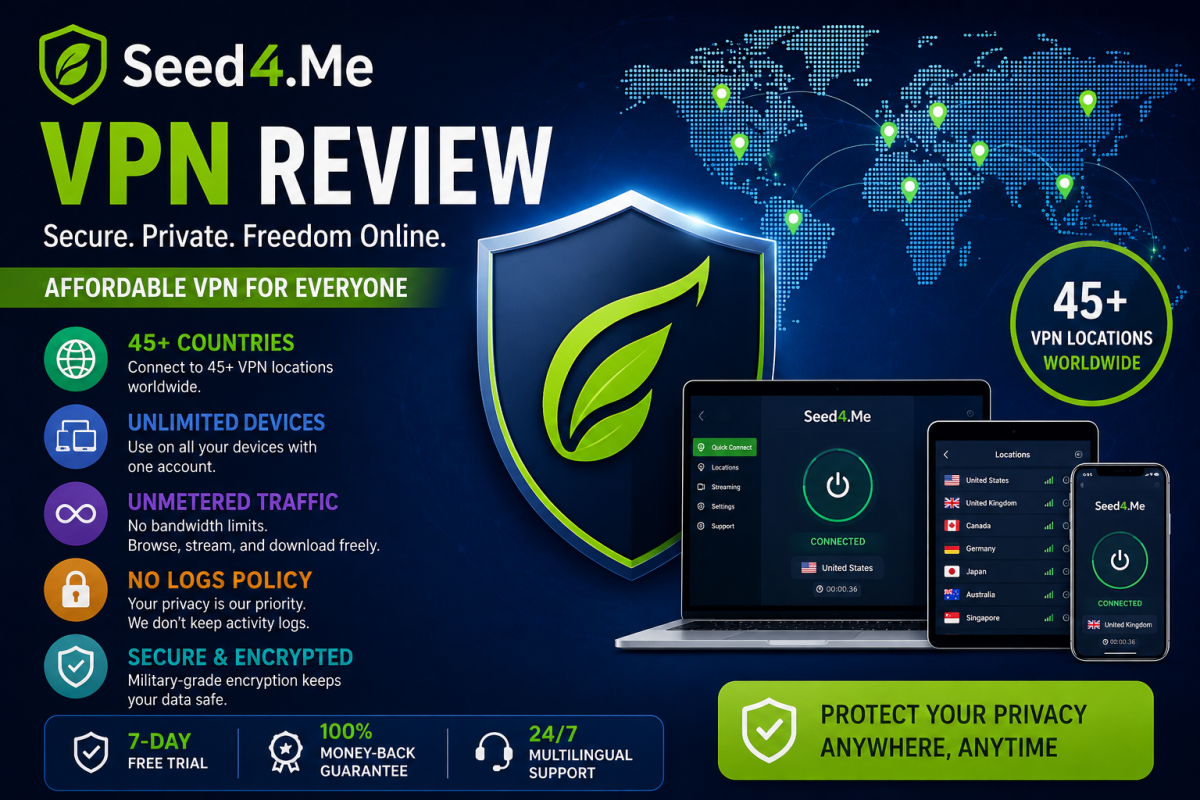
According to Seed4.Me’s current website, the service offers VPN locations in 45+ countries, unmetered traffic, support for multiple devices, and a no-logs policy on its VPN nodes.
But is it actually worth considering?
In this guide, we’ll take a closer look at Seed4.Me VPN, its features, pricing, supported devices, privacy approach, server locations, potential advantages and limitations, and who may find it useful.
What Is Seed4.Me VPN?
Seed4.Me is a VPN service designed to provide users with a more private and secure way to connect to the internet.
The basic idea behind any VPN is fairly simple.
Normally, your device connects to your internet service provider and then communicates with websites and online services.
When you use a VPN, your connection is routed through a VPN server. Your traffic between your device and the VPN server is encrypted, while websites generally see the VPN server’s IP address instead of your regular public IP.
Seed4.Me describes its VPN as a way to protect online traffic, hide your IP address, and access websites and online content more freely.
That does not mean a VPN makes you completely anonymous online.
It simply adds another privacy and security layer to your internet connection.
Understanding that distinction is important when choosing any VPN.
Why Do People Use a VPN?
There are several reasons why someone might want to use a VPN.
Protecting Yourself on Public Wi-Fi
Public Wi-Fi is convenient, but you do not always know how the network is configured or who else is connected to it.
If you’re working from a coffee shop, hotel, airport, university, or another public location, using a VPN can provide an additional layer of protection by encrypting your connection to the VPN server.
This can be especially useful when you’re doing everyday online activities while connected to networks you don’t personally control.
Hiding Your Regular IP Address
Your public IP address can reveal information about your internet connection and approximate geographic location.
When you connect through a VPN, websites generally see the VPN server’s IP address rather than your normal public IP.
Seed4.Me specifically advertises the ability to hide your real IP address and provides access to VPN locations in numerous countries.
This can be useful when you want an additional layer of privacy while browsing.
Accessing Websites From Different Locations
Another common reason people use VPNs is to connect through servers located in other countries.
For example, you might be traveling and want to connect through a server in your home country, or you may need to test how a website behaves for users in another region.
Seed4.Me currently lists locations across Europe, Asia, North America, South America, Africa, and other regions, including the United States, United Kingdom, Germany, France, Japan, Singapore, India, Canada, Australia, and many others.
However, users should always check the laws, regulations, and terms of service applicable to the content or service they are trying to access.
Seed4.Me VPN Features
Let’s look at some of the features that stand out.
1. 45+ VPN Locations
One of the first things I would look at when choosing a VPN is its server network.
Seed4.Me currently advertises VPN servers in more than 45 countries.
The available locations include countries such as:
- United States
- United Kingdom
- Canada
- Germany
- France
- Netherlands
- Japan
- Singapore
- India
- Australia
- South Korea
- Switzerland
- Sweden
- Spain
- Italy
- Turkey
- United Arab Emirates
- Hong Kong
- Brazil
- South Africa
The complete list can change over time, so it is always a good idea to check the provider’s current locations page before subscribing.
Having multiple locations is useful because the best server is often not necessarily the country that sounds most attractive.
Distance matters.
If your priority is speed, connecting to a geographically closer server will often be a better starting point.
Seed4.Me itself recommends connecting to a location close to you when trying to get the fastest connection.
2. Unlimited Devices
One of the more interesting aspects of Seed4.Me is its device policy.
The current pricing page says one VPN account can be used across an unlimited number of devices.
That can be convenient if you have several devices.
Think about a typical household today.
You might have:
- A Windows PC
- A MacBook
- An Android phone
- An iPhone
- A tablet
- A smart TV
- An Android TV device
- Another laptop
Instead of needing a separate VPN subscription for every device, a single account can be used across your supported devices.
Seed4.Me lists support for Windows, macOS, iOS, Android, Android TV, Amazon Kindle, and other devices through available configurations.
For users who regularly switch between devices, this can be a meaningful advantage.
3. Unmetered Traffic
Data limits can be frustrating.
Imagine paying for a VPN and then having to worry about how much data you use every month.
Seed4.Me advertises unmetered traffic, meaning the service does not impose a traditional monthly data allowance on its VPN plans.
This can be particularly useful for people who use a VPN regularly rather than only occasionally.
If you are frequently browsing, working remotely, using public Wi-Fi, or connecting multiple devices, having no stated traffic cap can make the service easier to use.
Of course, actual connection performance can vary depending on your internet connection, server location, network congestion, and other technical factors.
4. No Logs on VPN Nodes
Privacy is one of the biggest reasons people use VPNs in the first place.
Seed4.Me currently states that it does not keep logs on its VPN nodes. Its FAQ also says the company does not store activity logs or connection logs, while noting that it collects minimal information for technical troubleshooting that it says cannot be used to connect a user to specific activity or behavior.
This is an important part of evaluating a VPN.
However, it is always wise to read the provider’s current privacy policy and terms before making a purchase.
A VPN changes the trust relationship.
Instead of sending your internet traffic directly through your ISP, you are trusting the VPN provider to handle your connection appropriately.
That is why privacy policies matter.
5. Encryption for Online Traffic
VPNs are commonly used to encrypt internet traffic between the user’s device and the VPN server.
Seed4.Me describes VPN technology as creating a secure tunnel through which internet traffic is encrypted before reaching the VPN server.
This can be particularly useful when using networks that you do not control.
For example, if you regularly work from public Wi-Fi, a VPN can provide an additional security layer for your internet connection.
Still, encryption does not protect you from everything.
A VPN cannot stop phishing attacks, malicious downloads, weak passwords, malware, or unsafe websites.
It should be viewed as one part of a broader online security strategy.
6. Apps for Different Platforms
Another important factor is whether a VPN works with the devices you actually use.
Seed4.Me provides applications for major platforms including Windows, macOS, iOS, Android, and Android TV, and its website also mentions support for Amazon Kindle and other configurations.
This makes it easier to use the same VPN service across different parts of your digital life.
For example, you might use the VPN on your laptop while working and then switch to your phone when you’re traveling.
If you use multiple operating systems, it is worth checking the current supported-platform list before subscribing.
Seed4.Me VPN Pricing
Price is obviously important when comparing VPN services.
According to the current Seed4.Me pricing page, the advertised plans include:
- 1 month: $5.00 per month
- 3 months: $3.33 per month, billed at $10
- 1 year: $3.00 per month, billed at $36
- 3 years: $2.99 per month, billed at $107.55
The 3-year option is currently presented as the most popular plan on the pricing page.
Pricing and promotional offers can change, so it is better to check the live pricing page rather than relying on an old article.
Check the Current Seed4.Me Pricing
👉 View Seed4.Me VPN Plans & Pricing
This is the link I recommend using if you want to see the latest available plans before making a decision.
Is There a Free Trial?
Seed4.Me currently says that users can get a 7-day free trial by installing the application, while its registration page also advertises 7 days of free VPN access.
A trial can be useful because VPN performance can vary significantly depending on where you live and which servers you need.
Rather than assuming that a VPN will work perfectly for you, it makes sense to test it with your normal internet connection.
Try several nearby locations.
Check how quickly pages load.
Test it at different times of the day.
Then decide whether it works well enough for your needs.
Does Seed4.Me Offer a Money-Back Guarantee?
Yes.
The current pricing page advertises a 100% money-back guarantee, and the FAQ says customers can request reimbursement if they are unhappy with their experience.
This reduces some of the risk of trying the service.
However, you should always review the current terms and conditions for the exact requirements and conditions associated with refunds.
Seed4.Me VPN for Travelers
Traveling often means using unfamiliar networks.
Hotels, airports, restaurants, coworking spaces, and other public locations may offer Wi-Fi, but you have limited control over the security of those networks.
A VPN can be a useful addition to your travel setup.
Seed4.Me’s wide selection of locations can also be helpful if you need to connect through a server in a particular country.
For example, you might be traveling internationally but want your connection to appear as though it is coming from a particular region.
Again, the availability of websites and services can vary by location, and you should always follow applicable laws and the terms of the service you’re accessing.
Seed4.Me VPN for Remote Workers
Remote work has changed how many people use the internet.
You might work from home one day, a café the next, and a hotel later in the week.
A VPN can provide an additional layer of security when connecting through networks that you do not manage yourself.
For remote workers, another advantage is having one VPN account available across multiple devices.
If you regularly switch between a laptop, phone, and tablet, you don’t necessarily want to maintain separate subscriptions for every device.
Seed4.Me’s current pricing page states that one account can be used across an unlimited number of devices.
Seed4.Me VPN for Everyday Browsing
You don’t have to be a cybersecurity expert to benefit from a VPN.
For an everyday internet user, a VPN can simply become another application that you turn on when you want an additional privacy layer.
You can browse the web, use public Wi-Fi, and connect through different VPN locations without needing to understand the technical details behind every part of the connection.
That simplicity is one of the things I would consider when choosing a VPN.
If a service is too complicated, people often stop using it.
A straightforward app is more likely to become part of your normal routine.
Can a VPN Make You Completely Anonymous?
This is a common misconception.
No.
A VPN can improve privacy, hide your normal IP address from websites, and encrypt the connection between your device and the VPN server.
But it does not make you magically invisible online.
For example, if you log into your Google account, Facebook account, or another service, that service can still know that you are logged into your account.
A VPN also does not protect you from every type of tracking.
Browser fingerprinting, cookies, account activity, malware, phishing, and other technologies can still identify or track users in different ways.
So it is better to think of a VPN as a privacy and security tool, not an invisibility cloak.
Will Using Seed4.Me Slow Down Your Internet?
Any VPN can potentially affect connection speed.
Your traffic has to travel through a VPN server, which can introduce additional latency.
The actual effect depends on several factors:
- Your original internet speed
- Distance to the VPN server
- Server load
- Network congestion
- VPN protocol
- Your ISP
- The website or service you’re accessing
Seed4.Me recommends choosing a location close to you if speed is your priority.
That is generally sensible advice for VPN users.
If you are in Asia, for example, connecting to a nearby Asian server will often be a better starting point for speed than connecting to a server on the opposite side of the world.
What Seed4.Me Does Not Provide
No VPN service is perfect for every type of user.
One limitation worth knowing is that Seed4.Me says it does not provide dedicated or static IP addresses as a standard feature. Its FAQ explains that IP addresses are rotated regularly and that users receive an available IP when connecting to a server.
This may not matter at all for normal browsing.
But if you specifically need a dedicated static IP for a business application, server allowlisting, or another specialized purpose, you should investigate this requirement before subscribing.
Understanding what a VPN does not offer is just as important as understanding its advertised features.
Who Is Seed4.Me Best Suited For?
Seed4.Me may be a good fit for people who want:
- A reasonably priced VPN
- Multiple international VPN locations
- Support across several devices
- Unmetered traffic
- An additional privacy layer
- Protection when using public Wi-Fi
- The ability to change their apparent IP location
- A simple VPN application
- A service with a money-back guarantee
It may be less suitable for someone specifically looking for a dedicated static IP address.
Is Seed4.Me Good for Streaming?
VPNs are sometimes used to access streaming services from different regions.
However, streaming platforms frequently change their VPN detection systems, and the availability of particular content can change at any time.
Therefore, I would not recommend subscribing to any VPN solely because you expect it to unblock a particular streaming library permanently.
If streaming is your main reason for using a VPN, check the provider’s current capabilities and the terms of the streaming service before purchasing.
Seed4.Me for Privacy-Conscious Users
Privacy is increasingly important.
Your online activity can reveal a surprising amount of information about your habits, interests, location, and devices.
A VPN cannot solve every privacy problem, but it can reduce the amount of information exposed directly through your normal internet connection.
Seed4.Me’s stated no-logs approach and IP-hiding features may therefore appeal to users who want a simpler way to add privacy protection to everyday browsing.
Still, privacy is a process rather than a single product.
Use strong passwords.
Enable two-factor authentication.
Keep your operating system updated.
Be careful with suspicious links.
Use secure websites.
And understand the privacy settings of the services you use.
A VPN works best as part of that larger approach.
A Simple Way to Test Seed4.Me
If you are unsure whether Seed4.Me will work well for you, don’t overthink it.
Start with the trial.
Install the application on one of your devices.
Connect to a nearby server.
Browse normally.
Then test a few other locations.
Pay attention to:
Speed:
Does your connection remain comfortable for your normal activities?
Stability:
Does the VPN remain connected reliably?
Server selection:
Are the countries you actually need available?
Ease of use:
Can you connect and change locations without unnecessary complications?
Device support:
Does it work on all the devices you care about?
After a few days of normal use, you’ll have a much better idea of whether the service fits your needs.
Final Verdict: Is Seed4.Me VPN Worth Considering?
There are plenty of VPN services on the market, so no single VPN is going to be the perfect choice for everyone.
What makes Seed4.Me interesting is the combination of relatively low pricing, multiple VPN locations, unlimited-device access, unmetered traffic, and a privacy-focused approach. The current pricing page also advertises a 100% money-back guarantee.
The service currently offers servers in 45+ countries and supports major platforms including Windows, macOS, iOS, Android, and Android TV.
For someone who wants a straightforward VPN for everyday browsing, travel, public Wi-Fi, or general privacy, it is certainly worth testing.
But don’t choose a VPN based on marketing claims alone.
Think about what you actually need.
Do you need a static IP?
Do you need a particular country?
How many devices do you use?
How important is price?
Are you primarily concerned about public Wi-Fi security?
Do you need a VPN for travel?
Answer those questions first.
Then compare the service against your requirements.
Ready to Try Seed4.Me VPN?
If you’re looking for an affordable VPN and want to see the current plans for yourself, you can check Seed4.Me’s official pricing page.
👉 Check Seed4.Me VPN Pricing & Plans
You can review the available subscription options, current pricing, payment methods, and the latest offers directly before deciding whether it is right for you.
If you’re new to VPNs, starting with a trial and testing the service on your own connection is probably the smartest approach.
Frequently Asked Questions About Seed4.Me VPN
What is Seed4.Me VPN?
Seed4.Me is a VPN service that provides encrypted internet connections, IP-address masking, and access to VPN servers in multiple countries.
How much does Seed4.Me cost?
The current pricing page lists plans starting at $5 for one month, $10 for three months, $36 for one year, and $107.55 for three years. Promotional pricing can change, so check the official pricing page for the latest information.
Does Seed4.Me have a free trial?
Seed4.Me currently advertises a 7-day free trial when you install its application.
How many devices can I use with one Seed4.Me account?
The current pricing page states that one VPN account can be used across an unlimited number of devices.
How many VPN locations does Seed4.Me offer?
Seed4.Me currently advertises VPN servers in 45+ countries.
Does Seed4.Me keep VPN activity logs?
Seed4.Me states that it does not store activity logs or connection logs and advertises no logs on its VPN nodes. It also says it collects minimal information for technical troubleshooting.
Does Seed4.Me provide a static IP?
Seed4.Me’s FAQ says it does not provide dedicated or static IP addresses as a standard offering and that its IP addresses are rotated regularly.
Can I use Seed4.Me on Android and iPhone?
Yes. Seed4.Me lists Android and iOS among its supported platforms, along with Windows, macOS, Android TV, and other supported devices.
Does Seed4.Me offer a money-back guarantee?
Yes. The current pricing page advertises a 100% money-back guarantee.
Is Seed4.Me suitable for public Wi-Fi?
A VPN can provide an additional layer of protection when using public Wi-Fi by encrypting traffic between your device and the VPN server. Seed4.Me specifically promotes protection of online traffic and privacy.
Affiliate Disclosure
This article contains an affiliate link. If you purchase a qualifying Seed4.Me VPN subscription through the link in this article, I may receive a commission. This does not increase the price you pay.
I recommend reviewing the current pricing, terms, privacy information, and available features yourself before purchasing.
Your privacy and security decisions should always be based on your own requirements and the latest information provided by the VPN provider.